DOOM: The Dark Ages PC Performance Review and Optimisation Guide

Nvidia DLSS Testing
DLSS 4 performance
Like other upscaling solutions, Nvidia’s DLSS technology acts as a great way to boost DOOM: The Dark Ages’ framerates on PC. At launch, this game will exclusively support Nvidia’s DLSS 4 upscaler. Unlike other games, DOOM does not allow gamers to choose between Nvidia’s old (CNN) and new (Transformer) DLSS models.
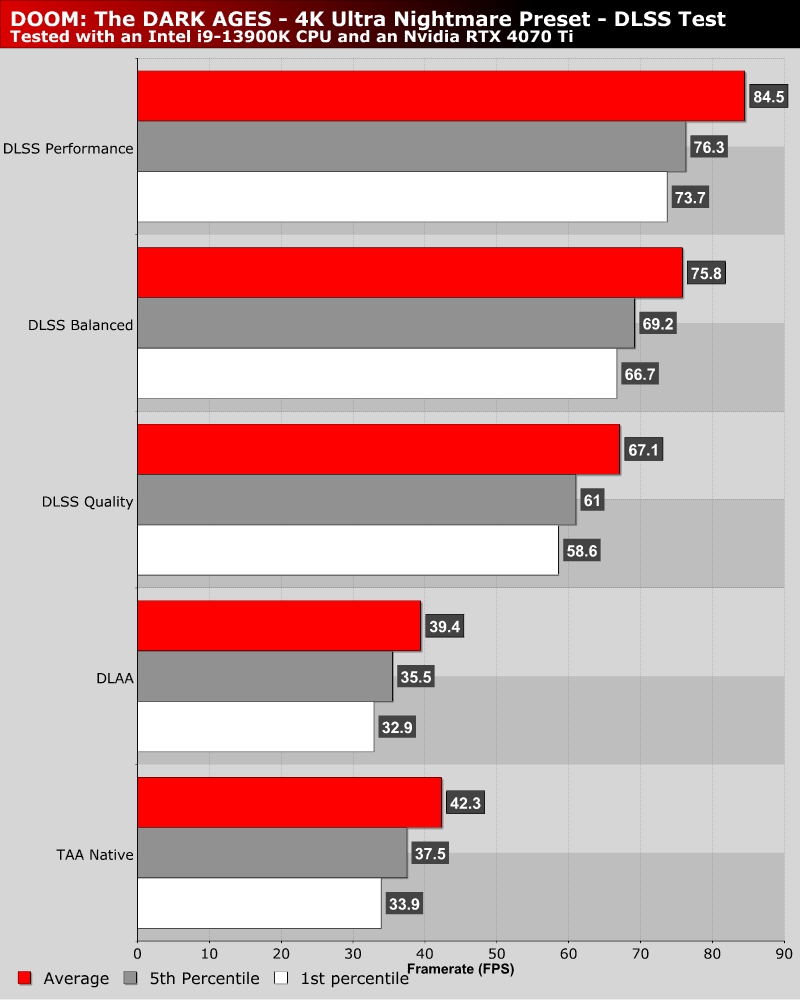
Moving from native TAA to DLSS Quality mode results in a 58.6% increase in average framerate. Using performance mode delivers a 99.7% framerate boost.#
DLSS 4 delivers higher levels of image quality than DOOM: The Dark Ages’ default TAA upscaling solution. When using the same resolution inputs, DLSS always delivers a stronger upscaling result. Great news for owners of RTX hardware.
DLSS Frame Generation
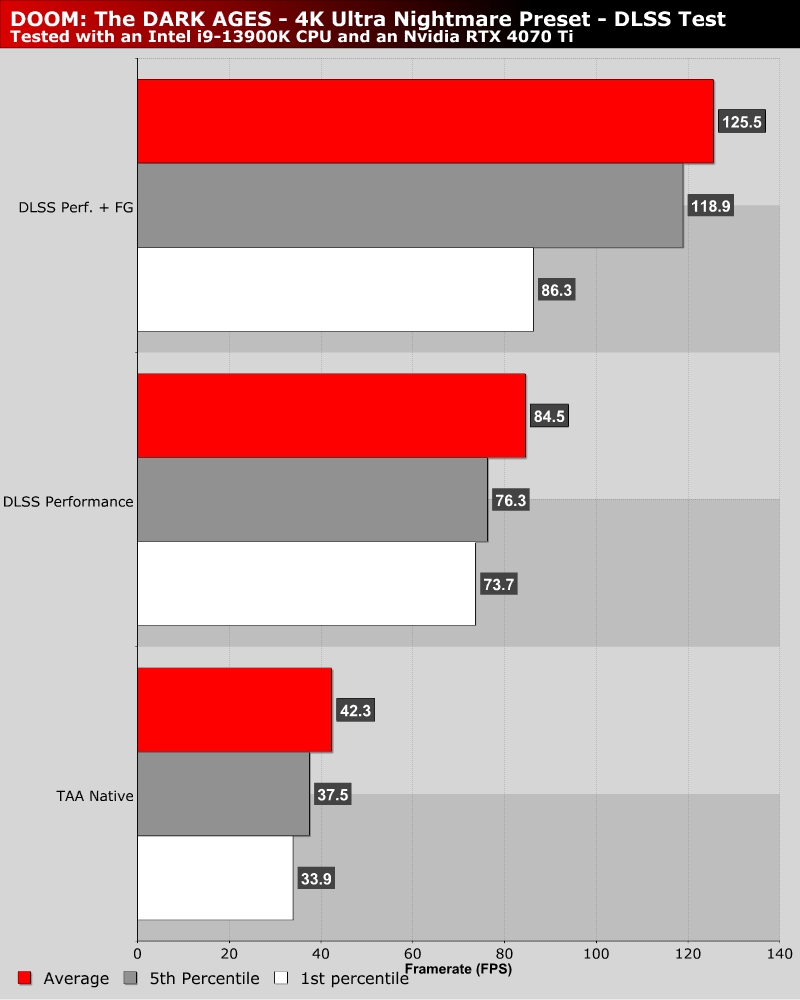
With DLSS Frame Generation, gamers can increase the smoothness of DOOM: The Dark Ages with AI-generated frames. This increases the smoothness of the game, but at the cost of some added latency. These added frames can make DOOM: The Dark Ages look incredibly smooth when using a high refresh rate monitor. However, seasoned DOOM fans may be able to feel the added latency, which makes the game feel less responsive. Ultimately, whether or not to use DLSS comes down to your tolerance of added latency and desire for increased visual smoothness. Which would you prefer, minimal latency or increased smoothness of ultra-high refresh rate monitors?