


Bambu Lab H2D Laser 3D Printer Review – Make Everything!

Bambu Lab H2D Laser 3D Printer – Features and Specifications
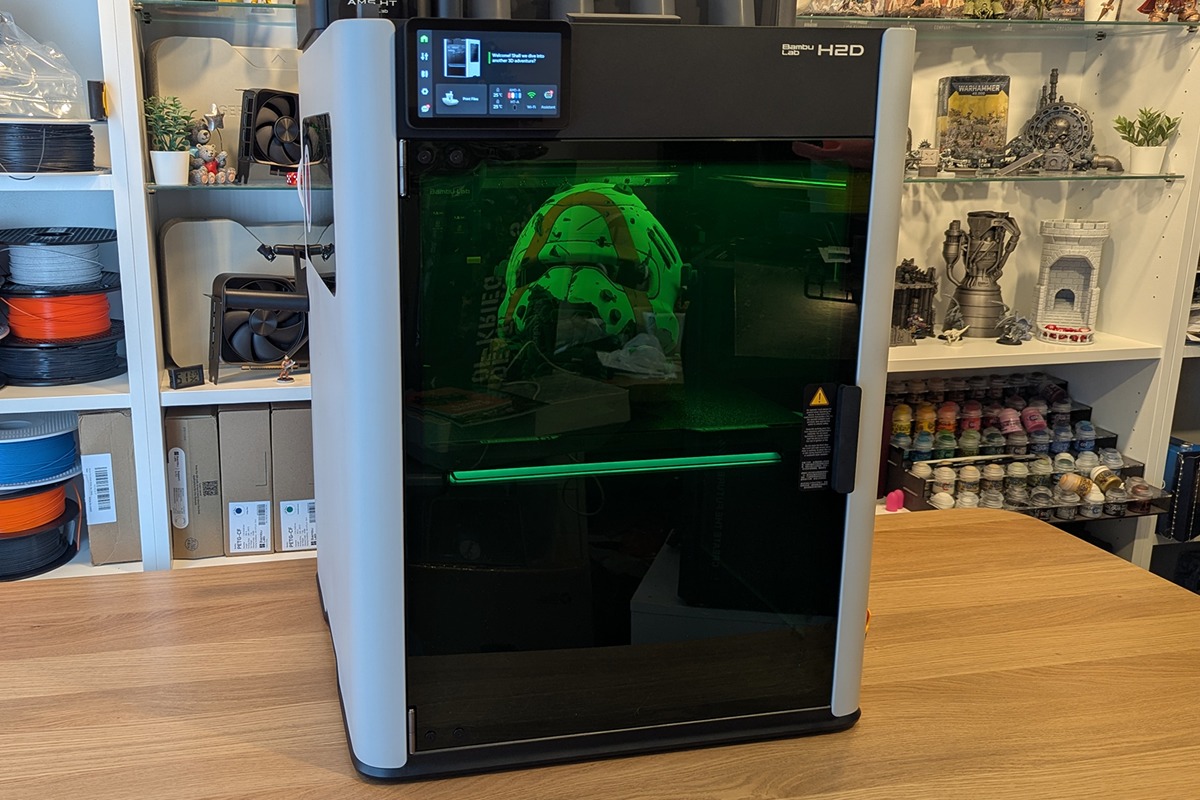
The Bambu Lab H2D Laser is the 3D printer that wants to be everything
The Bambu Lab H2D is what you get when engineers keep adding features. While I could call the H2D a 3D printer, I could also call it a cutter, a laser engraver/cutter, and a pen plotter. None of these descriptions is wrong, but the 3D printer feels the “most correct”. After all, the baseline model is “just” a 3D printer.
Bambu Lab revolutionised the 3D printing market with its X1 Carbon and P1 series printers, and the H2D is Bambu Lab’s attempt at taking things to the next level. We have a larger build volume, an upgraded AMS (Automatic Material System), twin nozzles, and options to make the H2D a cutting device and a laser machine. For those who simply wanted a larger X1 Carbon or P1, this isn’t that; it is more than that.
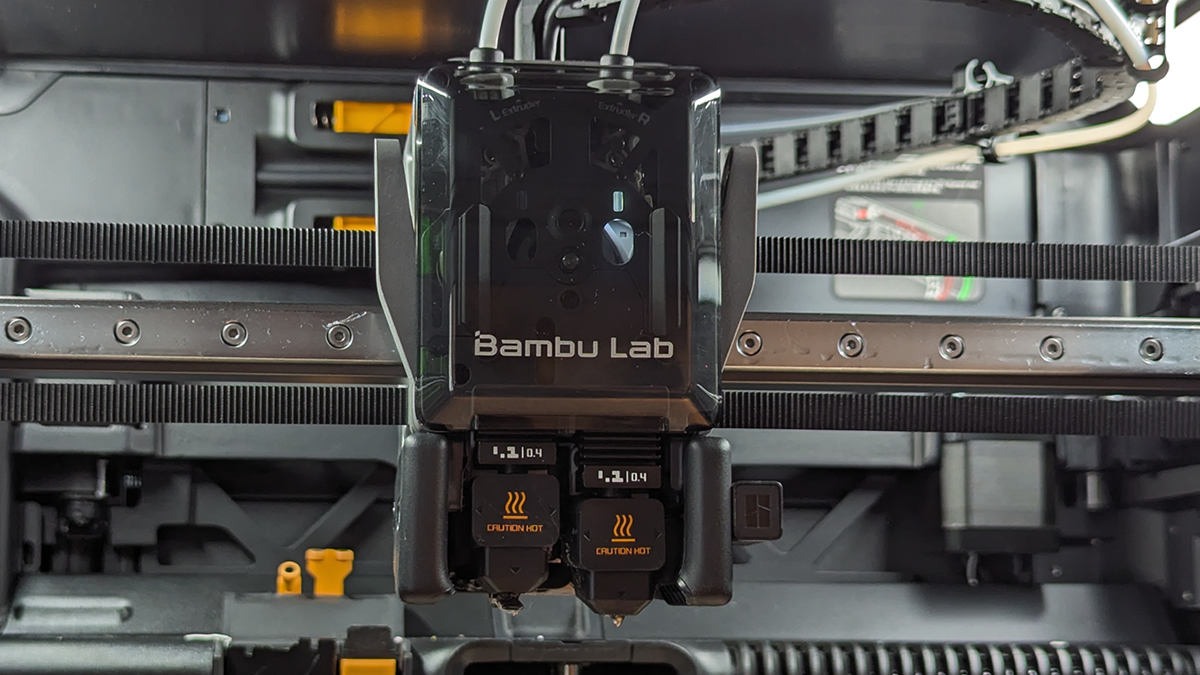
Double the hot-ends, double the fun!
The headline feature of the H2D is its dual nozzle setup. This enabled material switching without filament purging and wasted material. It also allows materials that are ill-suited to material switching to be used alongside a secondary material without clogging risks.
Aside from avoiding wasted/purged material, this setup accelerates 3D printing by avoiding these material swaps. For multi-colour prints, this can save a lot of time, allowing your 3D printer to finish jobs faster.
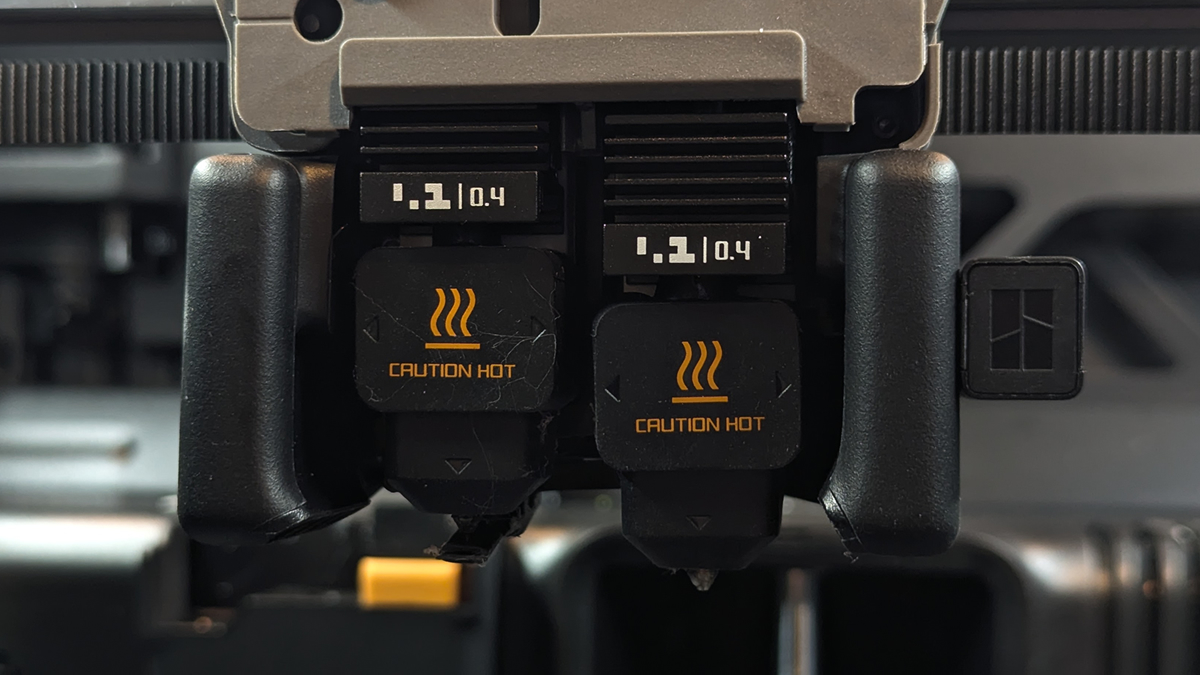
Easy replace hot-ends
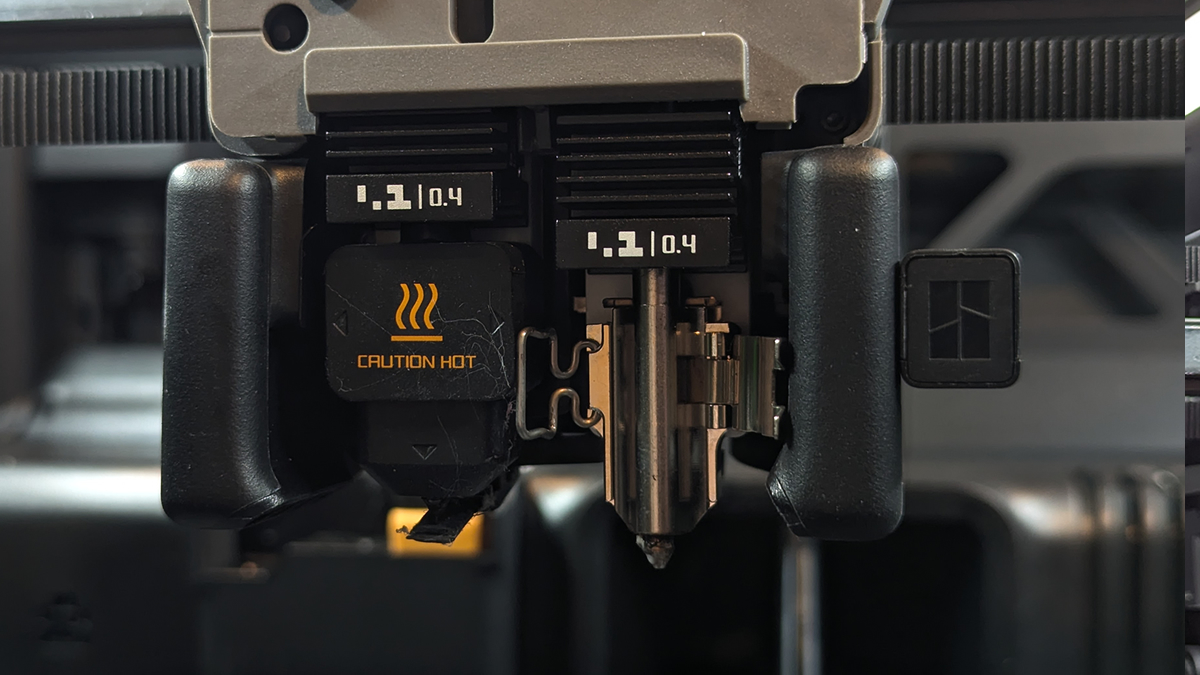
With the H2D comes Bambu Lab’s easy-to-swap hot-ends. This makes nozzle swapping an incredibly fast process, allowing users to install different nozzle sizes with ease. Honestly, the difficulty of swapping nozzles on other printers makes me want to stick to one nozzle size and forget the others. With the H2D, nozzle swaps are fast enough to make me want to use the best nozzle size for every job. Better still, the H2D can detect the nozzle size you are using and only allow prints to start when the correct nozzle sizes are used. This can avoid accidents.
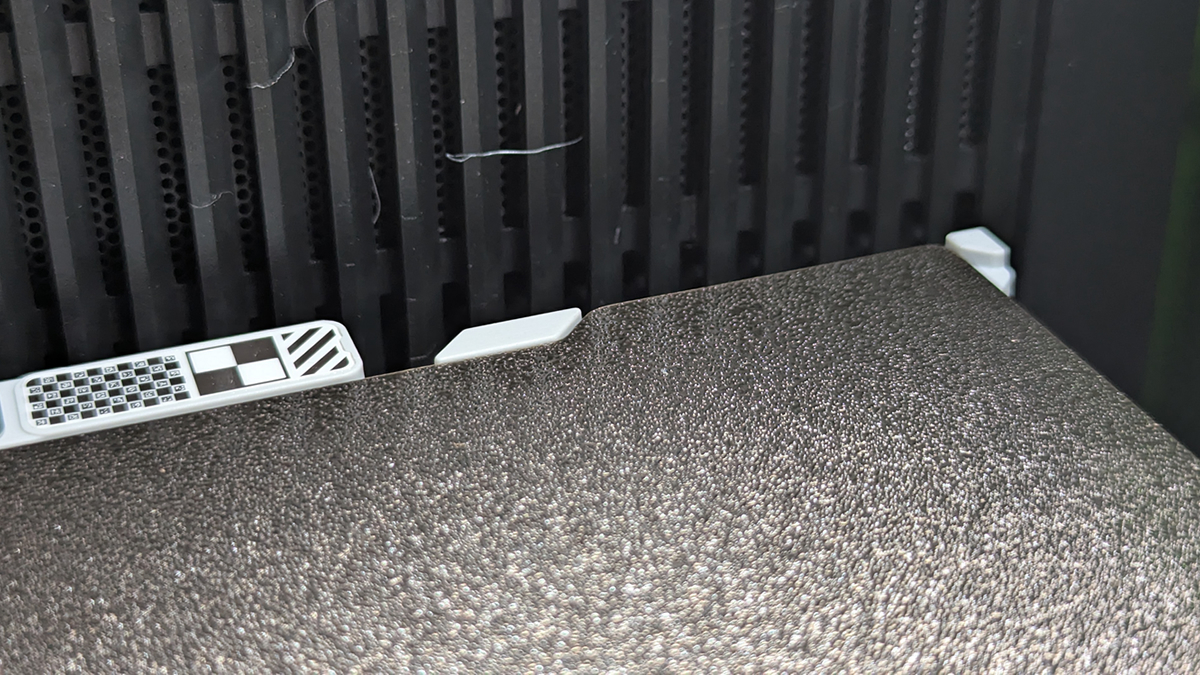
Easy locating build plates
It may be a common feature for new 3D printers, but easy-locating build plates are a feature that I personally love. It’s little things like this that Bambu Lab do well, so much so that moving to other brands can often give Bambu Lab users whiplash. Bambu Lab makes the 3D printing experience simple. All their little ease-of-use features add up to make a machine great.
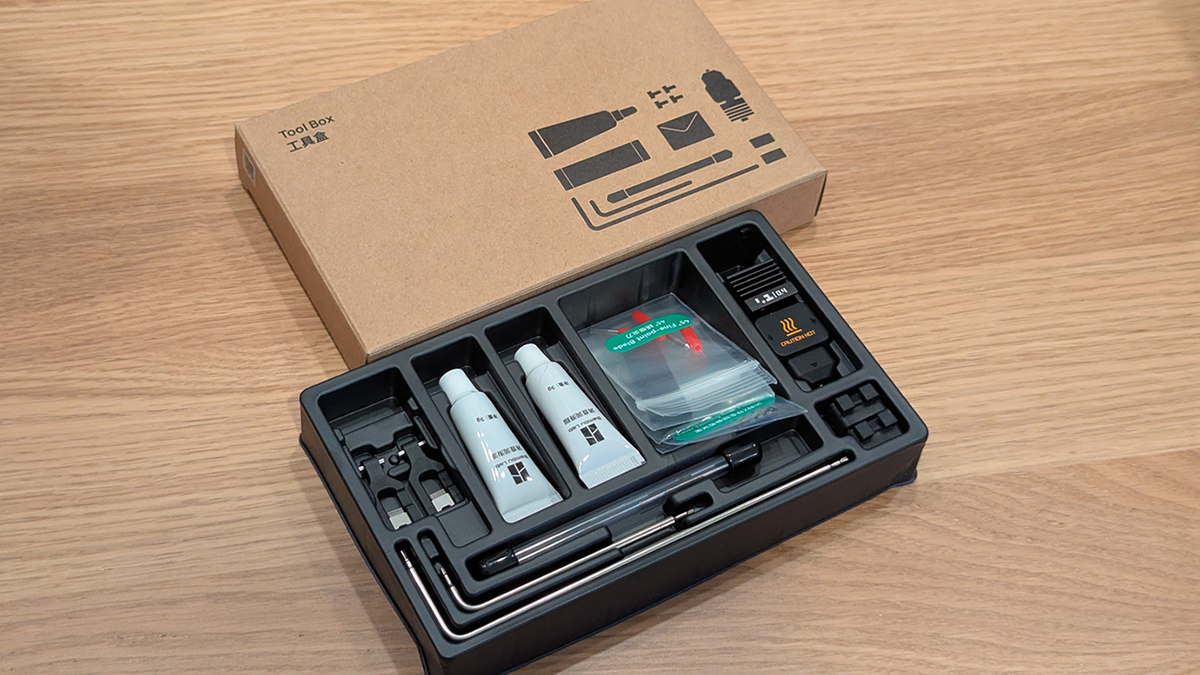
Tool box
Included with the Bambu Lab H2D is everything you need to complete basic maintenance. It includes lubricant grease, allan keys, replacement nozzle blockers, a spare hot-end, filament cutters and nozzle wipers. Bambu Lab wants its machines to be used long-term, and that is clear based on this toolbox.
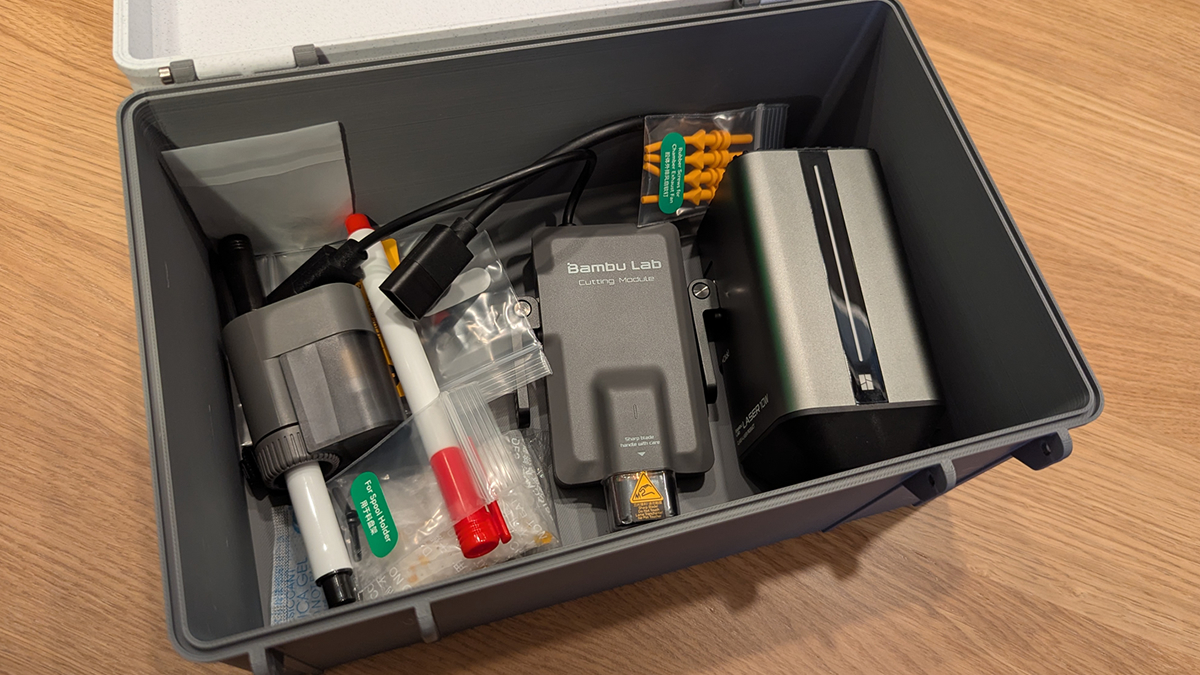
Accessories (There are a lot of them!)
We are reviewing the H2D Laser Complete Package, which includes the 10W laser module, pen plotter, and cutting module. We printed an accessories box for these parts, keeping everything in one place.
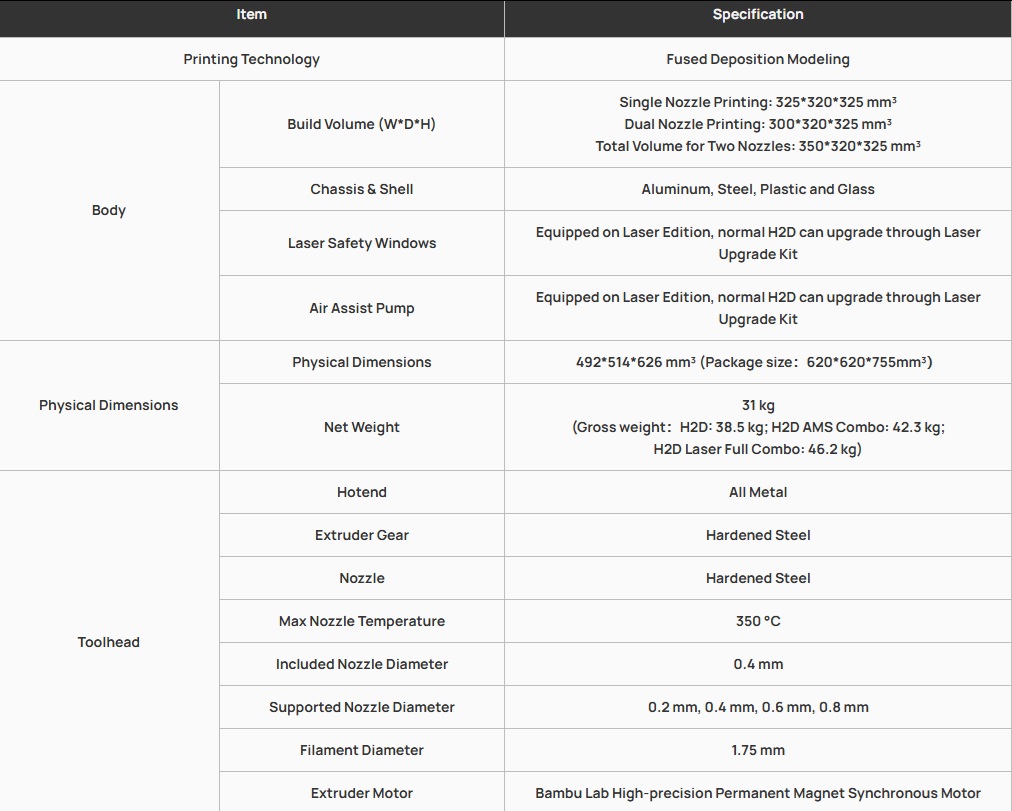
Specifications
Size-wise, the H2D is the largest 3D printer that Bambu Lab can produce without the machine becoming unmanageably large. The machine is 514mm deep, 492mm wide, and 626mm tall. If it were any larger, the machine wouldn’t easily fit on a desk or a kitchen countertop. Furthermore, if its packaging were any larger, it would barely fit through a standard UK door. In other words, if this thing were any larger, it wouldn’t be a tool for home use anymore; it would be a piece of industrial machinery.
Below are the specifications of the Bambu Lab H2D. Its maximum nozzle temperature is 350 degrees Celsius, and its heated chamber can be heated to 65 degrees. To achieve this, the H2D has an active chamber heater. The H2D’s chamber is made of aluminium, steel, glass and plastic. Note that the H2D laser replaces the glass with laser safety windows, which are made from green tinted plastic.
Pricing
At the time of writing, these are the prices of the Bambu Lab H2D on Bambu Lab’s website. These prices will change over time, so please check the cost of these printers when you read this review.
- Bambu Lab H2D – £1599
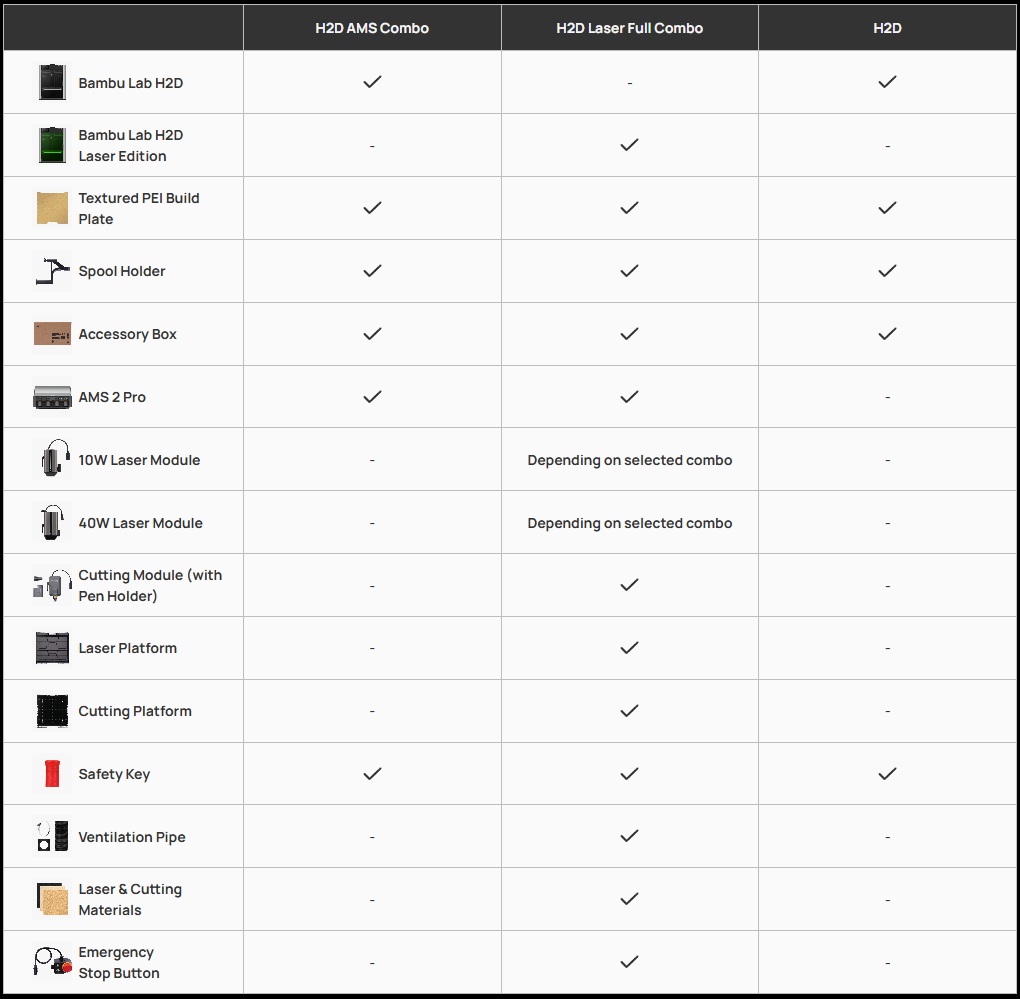
- Bambu Lab H2D AMS Combo (includes AMS 2 Pro) – £1849
- Bambu Lab H2D Laser Full Combo (Includes AMS 2 Pro, Laser Upgrade, and Cutter Upgrade) – £2349
Supplied accessories
Below is a list of accessories supplied with each version of the H2D. The AMS combo is recommended due to the AMS’ benefits for multi-material printing. Today, we are reviewing the H2D Laser Full Combo, which includes the AMS 2 Pro, cutting module, and laser module. For this review, Bambu Lab also supplied us with an AMS HT and a Smoke Purifier.
Bambu Lab H2D Camera – Time-lapse Tool
The time-lapse feature on Bambu Lab 3D printers is outstanding. Yes, it is a standard feature for most modern 3D printers, but it was Bambu Lab that popularised it as an integrated feature. Through the Bambu Handy app, you can see what’s currently printing. You can do the same through Bambu Studio. This makes printer monitoring easy.
The H2D has several integrated cameras for print error detection and other features. Only the time-lapse camera can be viewed by the user. Below we can see this camera’s time-lapse of a 3-day 3D print. More than three days of 3D printing condensed into a 43-minute video. It’s great for showing off what a 3D printer can do.
Note that users need to install a USB drive into the H2D to use the printer’s time-lapse feature. While the printer has integrated storage, using it for time-lapse video is not a good idea given its limited size. While needing to install a USB drive is annoying, it saves wear on the H2D’s storage and allows your footage to be easily moved to a PC. However, it is worth noting that this footage can be easily grabbed from Bambu Studio.

