


Assassin’s Creed Odyssey PC Performance Review

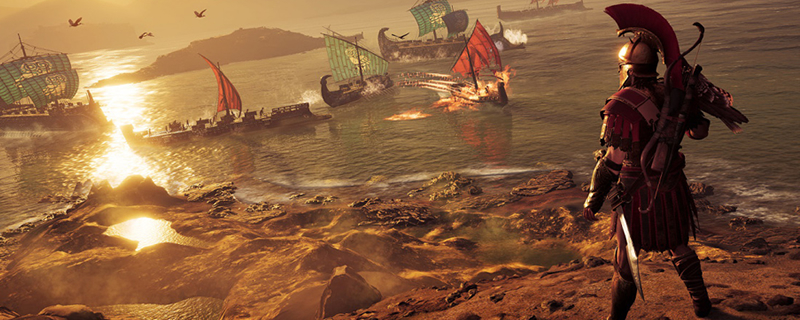
Graphical Comparison – Low to Ultra High
Just a quick disclaimer regarding these screenshots, as while the locations time of day and screen capture angles remain unchanged the exact weather conditions are difficult to replicate given Assassin’s Creed Odyssey’s dynamic weather and cloud systems. While we have don whatever we can to make conditions as similar as possible, we are unable to achieve the exact same levels of cloud cover, presenting variations in lighting conditions that cannot be mitigated.
The screenshots below are taken using a Nvidia GTX 1080 Founders Edition using each of Assassin’s Creed Odyssey’s graphical presets. Some of these images may need to be looked at up close to see some of the graphical changes. These are available in the links below the image sliders.
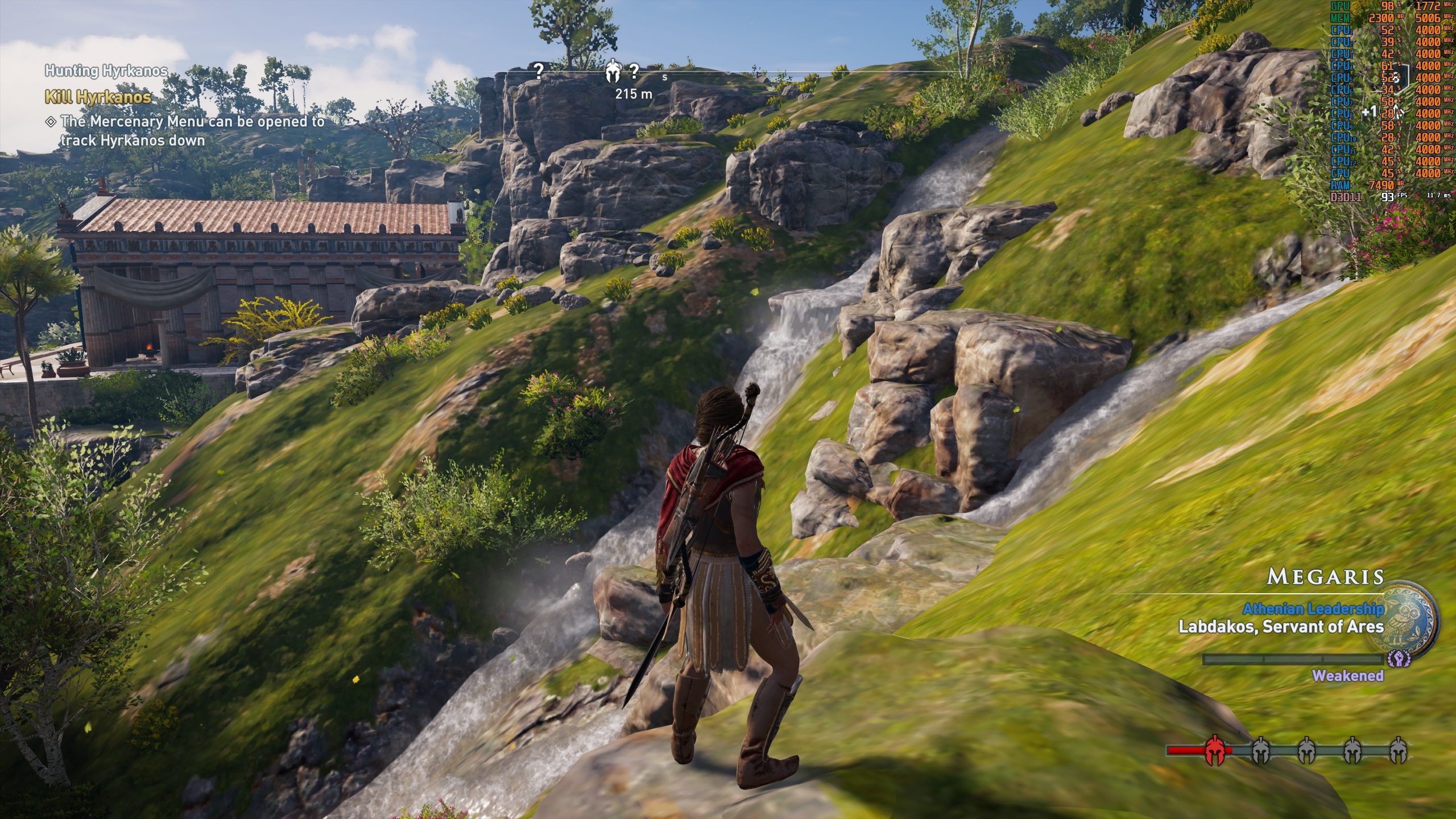
At low settings, Assassin’s Creed: Odyssey loses most distant graphical details, with foliage lake grass being culled entirely while trees and foliage that can be used as cover will remain in view. Terrain textured will be reduced to a blur and terrain geometry at a distance will be lowered for select rock surfaces.
Assassin’s Creed remains playable at low settings, as details like shadows remain present within the game, though the lack of detail is unbecoming of a modern AAA release. These settings are great if you want to get this game up and running on a lower-spec secondary system, but you should consider upgrading your main PC if it is only capable of running the game at these settings.
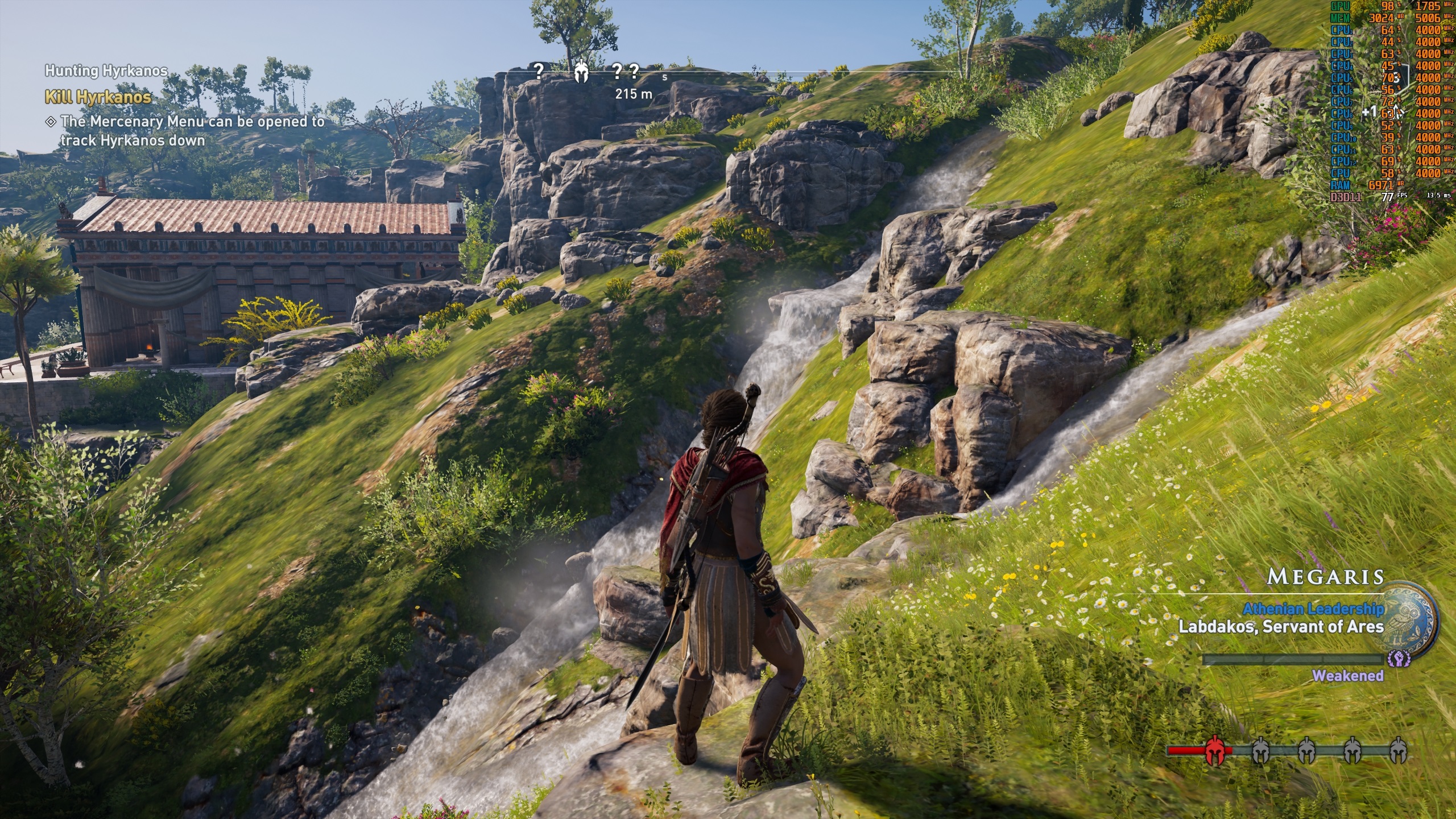
Moving up to medium sees a huge graphical improvement, with textures becoming sharper, grass coming into the scene in areas around the player while Ambient Occlusion comes into the game to add additional detail to areas in the shade.
Playing at medium settings will have player see an acceptable level of graphical detail, though foliage draw in will be a lot more noticeable than on higher settings and many of the game’s textures will not stand up to high-resolution displays. If you are running the game at 1080p, Medium settings will offer a great experience.
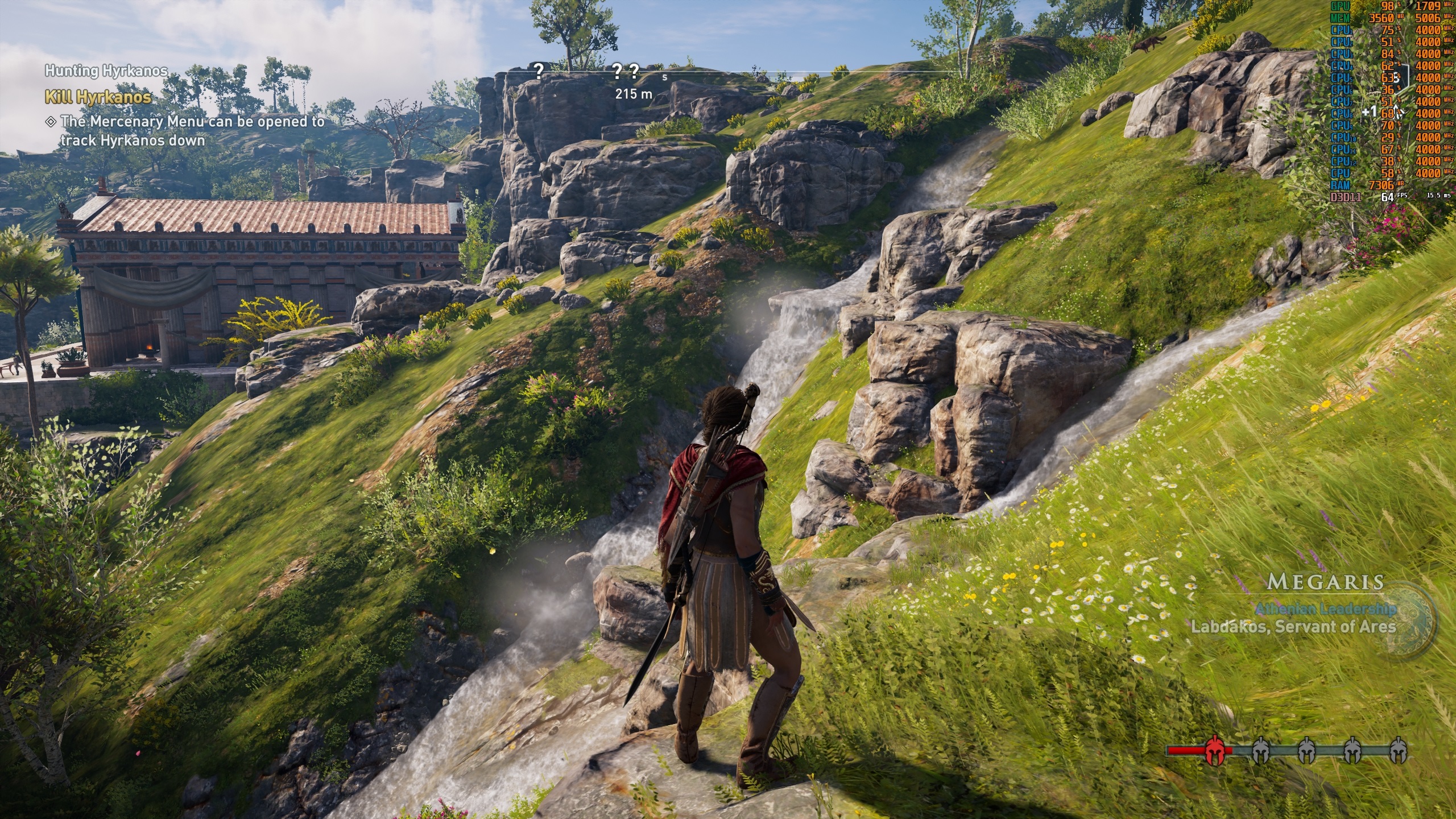
Odyssey’s High preset offers the highest levels of texture detail that is available in Assassin’s Creed Odyssey, acting as the preset that PC gamers should aim for, delivering a great balance between graphical detail and performance. Moving to higher preset will achieve higher levels of graphical quality, but with diminishing returns.
At High, we can see an increased amount of foliage near the player and that it is also drawn at a greater distance, making pop-in less noticeable than what we see under the game’s medium preset. Shadows also become significantly sharper at High settings, with more detailed shadows appearing at a distance. Running through busy streets with high detail shadows will allow players to see the draw distance layers for shadow LODs, but this will be difficult to notice if you are spending your time playing the game, rather than looking at the scenery.
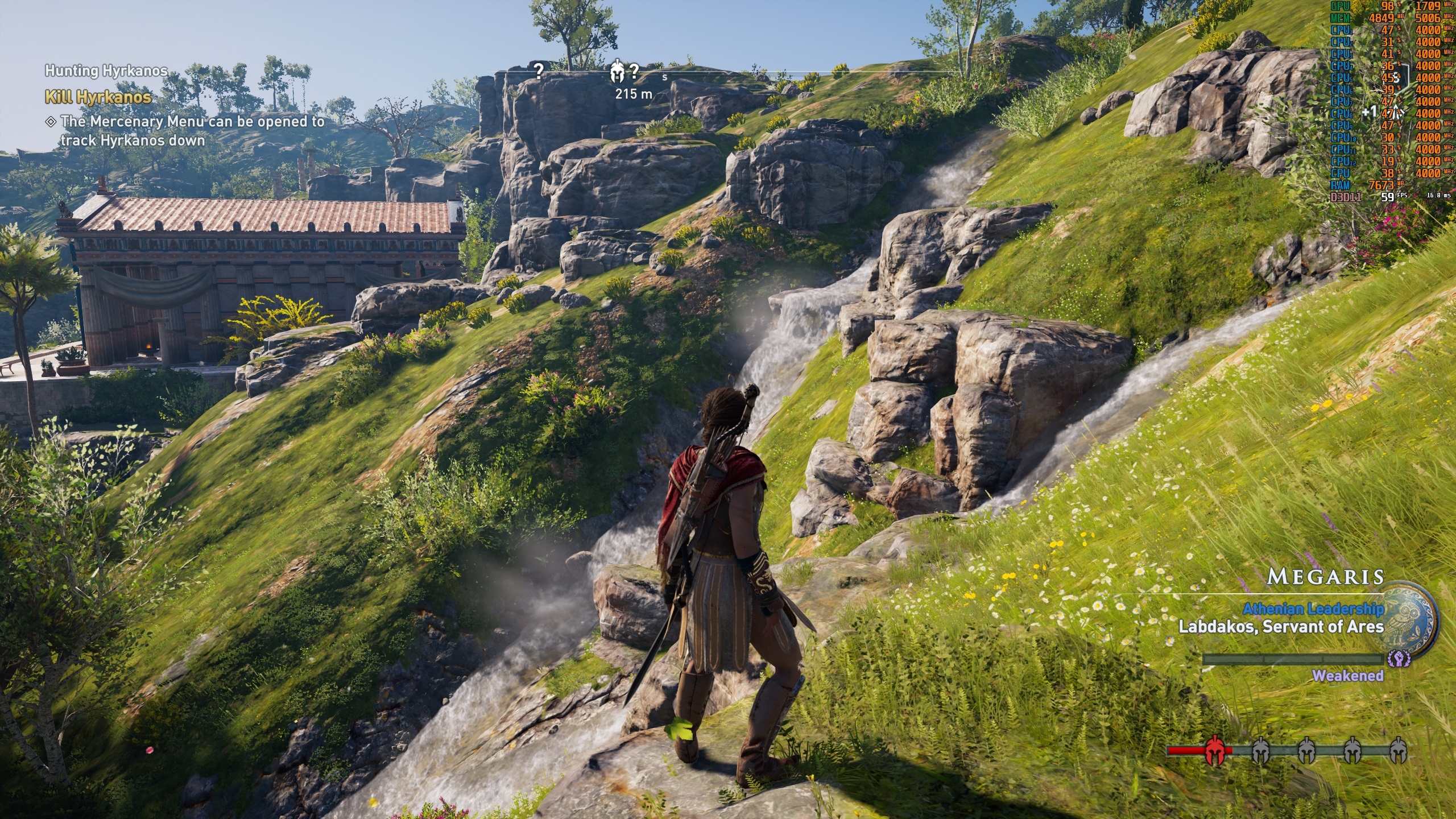
Very High settings pushing things that little bit further, with another boost to shadow quality while grass and other clutter become increasingly dense, especially in far away areas. Other changes are difficult to notice, even in still shots.
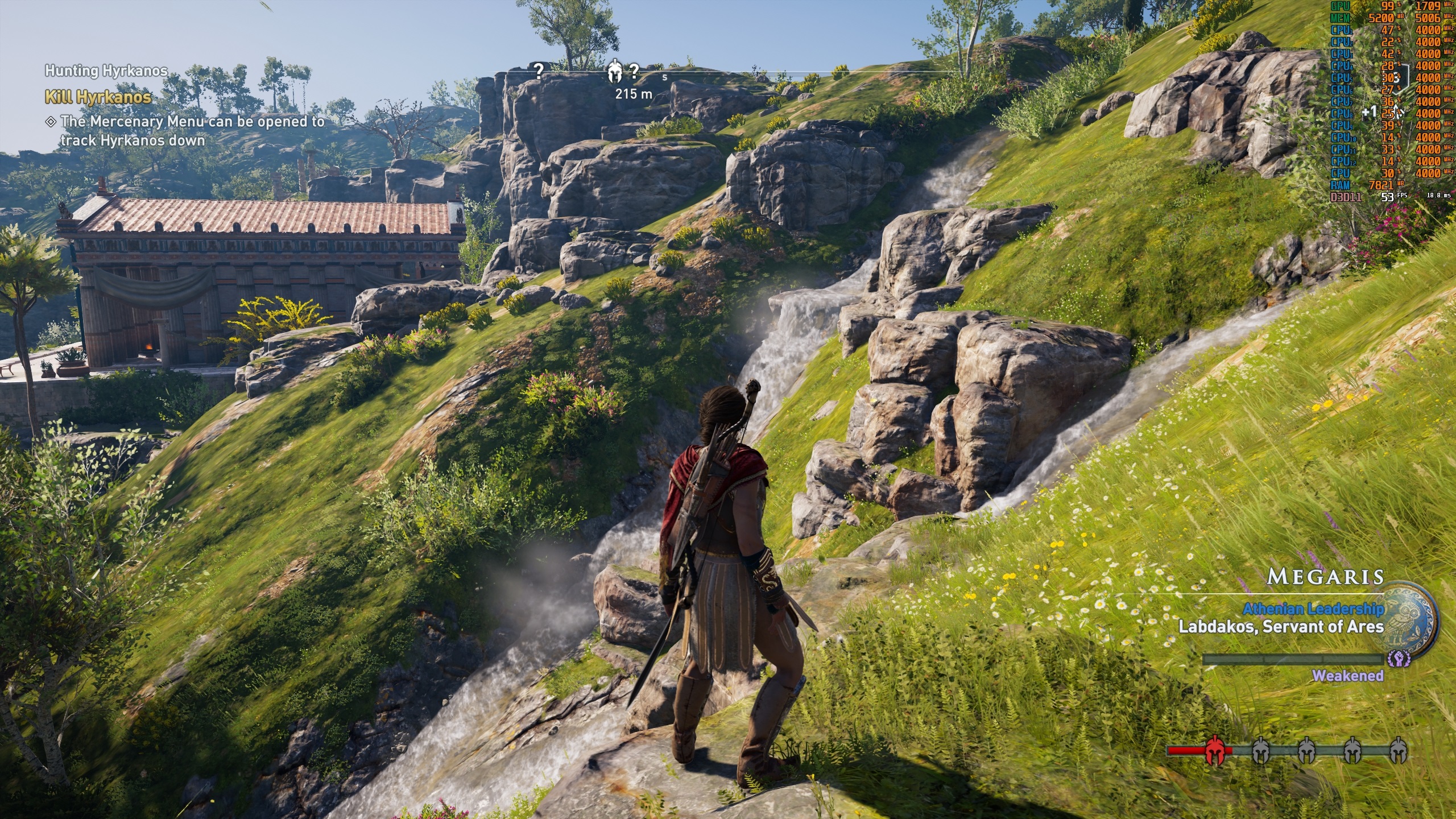
At Ultra High we can see that the nearby rocks gain a lot of extra geometric detail, thanks to the game’s Ultra High Environmental Detail setting, with sharper shadows and complex foliage shadows adding ever more detail into the mix.
While these changes are positive, they are very difficult to spot outside of side-by-side comparison, making it the Ultra preset an easy thing to abandon if you desire higher framerates. If you have the spare CPU/GPU cycles, feel free to add them, but most gamers will retain a great graphical experience using the game’s High preset.
