Assassin’s Creed Shadows PC Performance Review and Optimisation Guide

Ray Tracing – Performance Impact Tested
Ray Tracing Performance Impact Tested
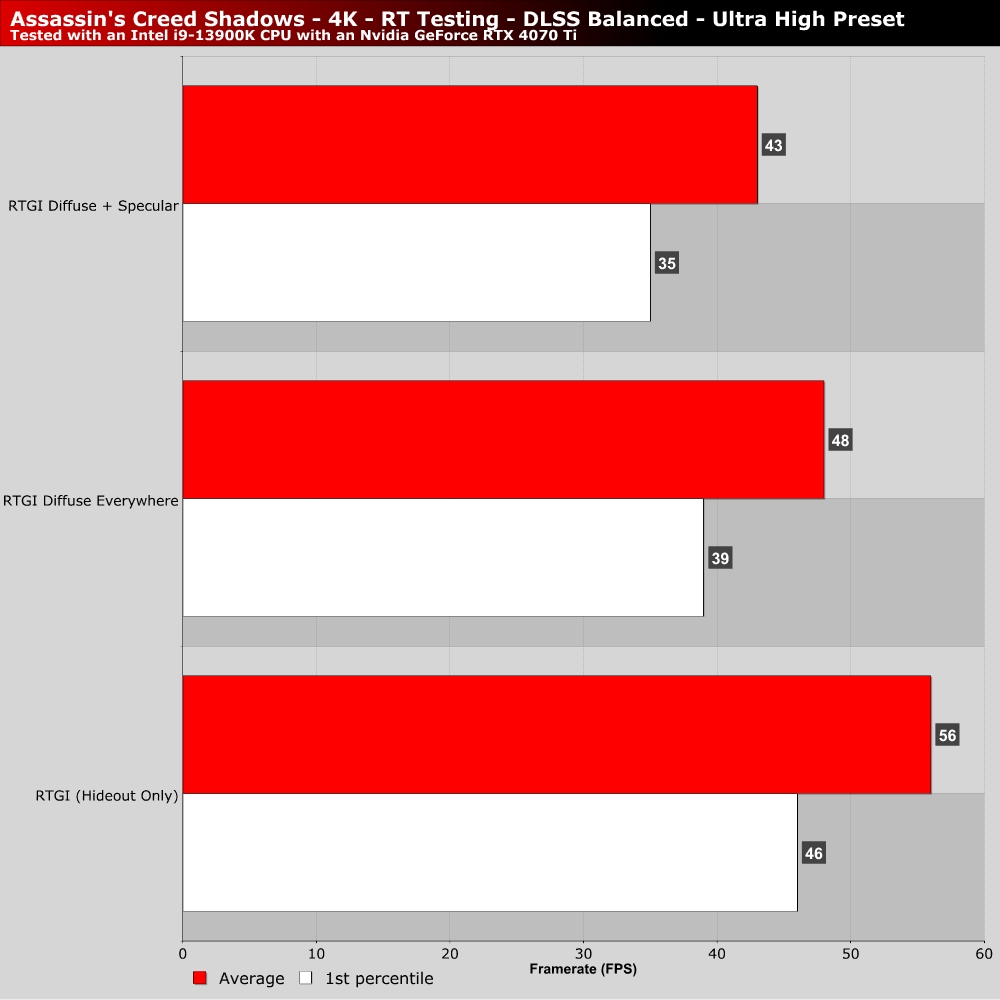
RTGI is one of the most expensive settings to enable in Assassin’s Creed Shadows. Maxing out ray tracing with diffuse and specular lighting. That said, Assassin’s Creed Shadows’ ray tracing is relatively efficient. Turning on diffused RTGI results in average framerates that are only 15% lower within the game’s benchmarking tool. That said, turning on RTGI with diffuse and specular effects will drop performance by a further 11%.
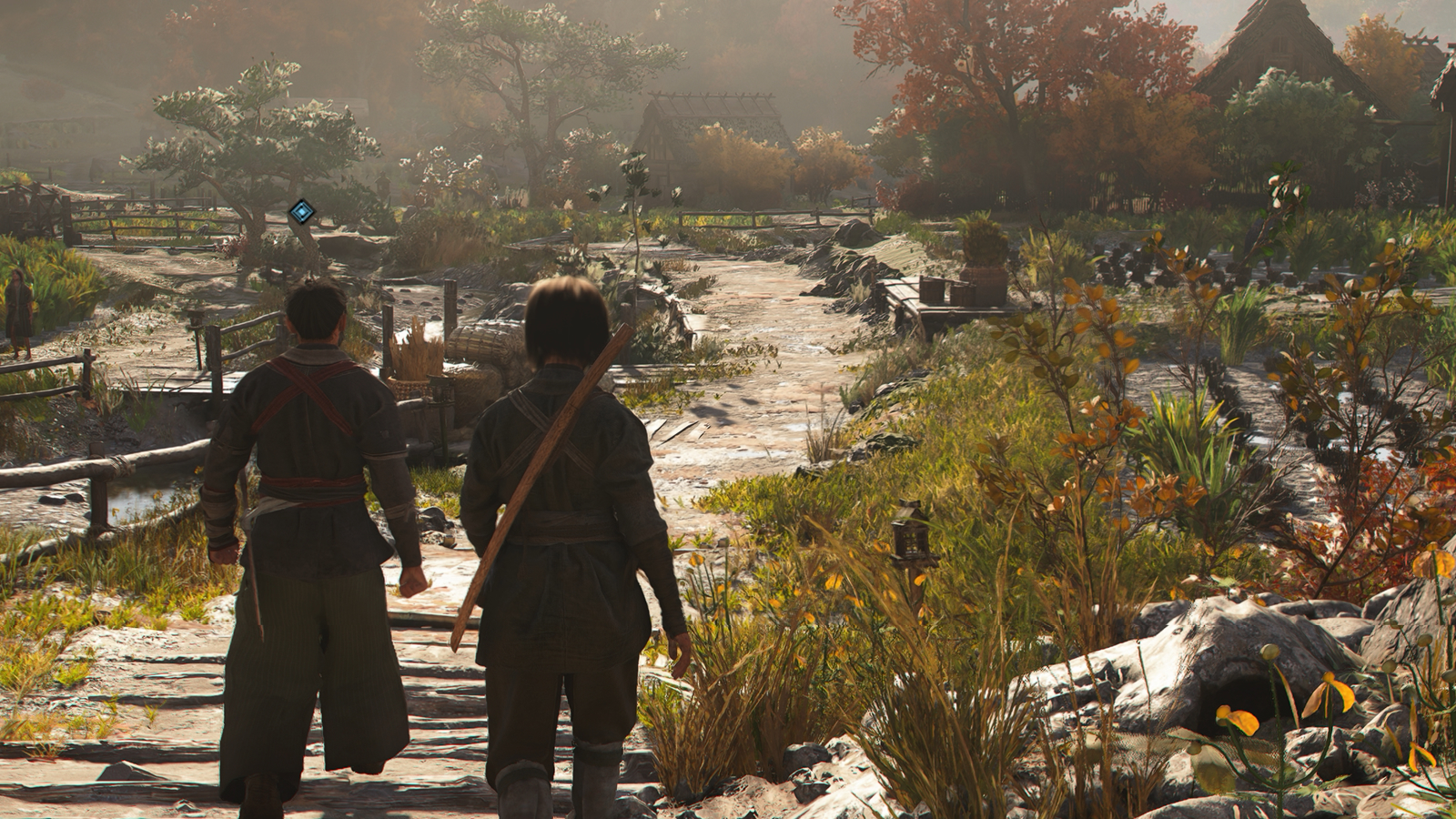
Overall, I would recommend turning on RTGI Diffuse lighting if you can. It completely changes the look of the game. With only a 15% performance drop, its performance cost is on the low side. It also runs well on both AMD and Nvidia hardware. There are other graphical settings that we would lower first.
Ray Tracing Quality and BVH Quality Tested
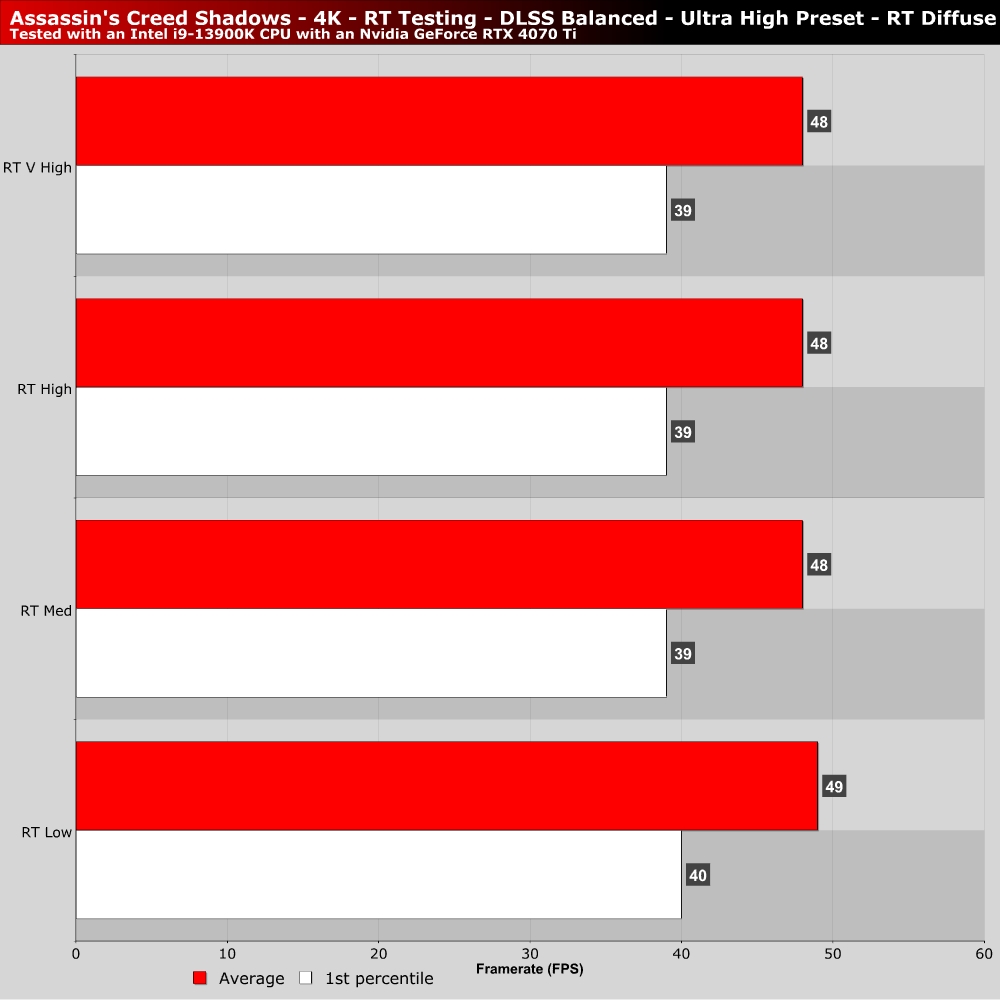
On our Nvidia RTX 4070 Ti, we found that ray tracing quality and BVH quality had a minimal impact on performance. When GPU-limited, these settings are not worth lowering. For lower-end systems, ray tracing should be turned off wherever possible, making these settings something that isn’t worth messing with.