Assassin’s Creed Shadows PC Performance Review and Optimisation Guide

Settings/Optimisation Tips + OC3D Optimised Settings
Optimisation Tips for Assassin’s Creed Shadows’ PC version
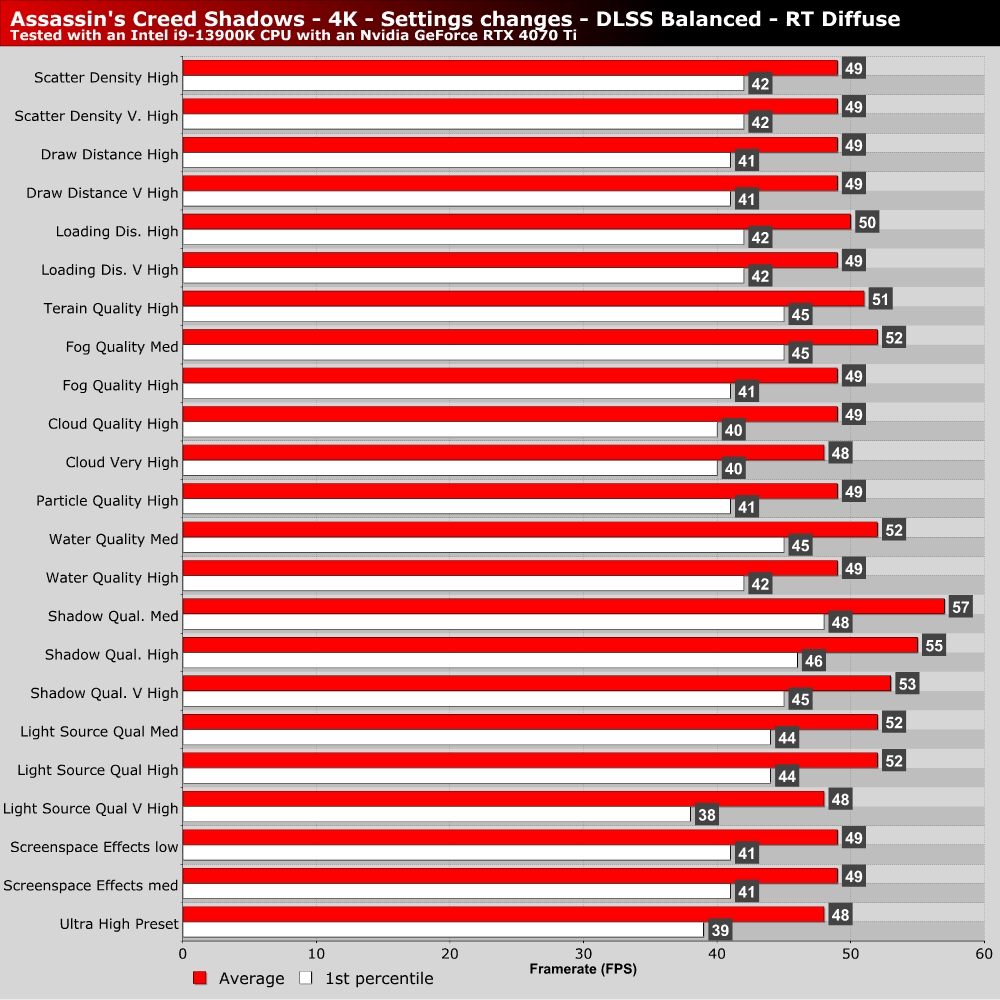
We’ve tested most of Assassin’s Creed Shadows’ settings on PC, and we found that (outside of ray tracing) Shadow Quality is the game’s most demanding setting. It netted us the largest performance gains of any single-settings change. Almost everything else gave us relatively minor performance gains.
OC3D Optimised settings
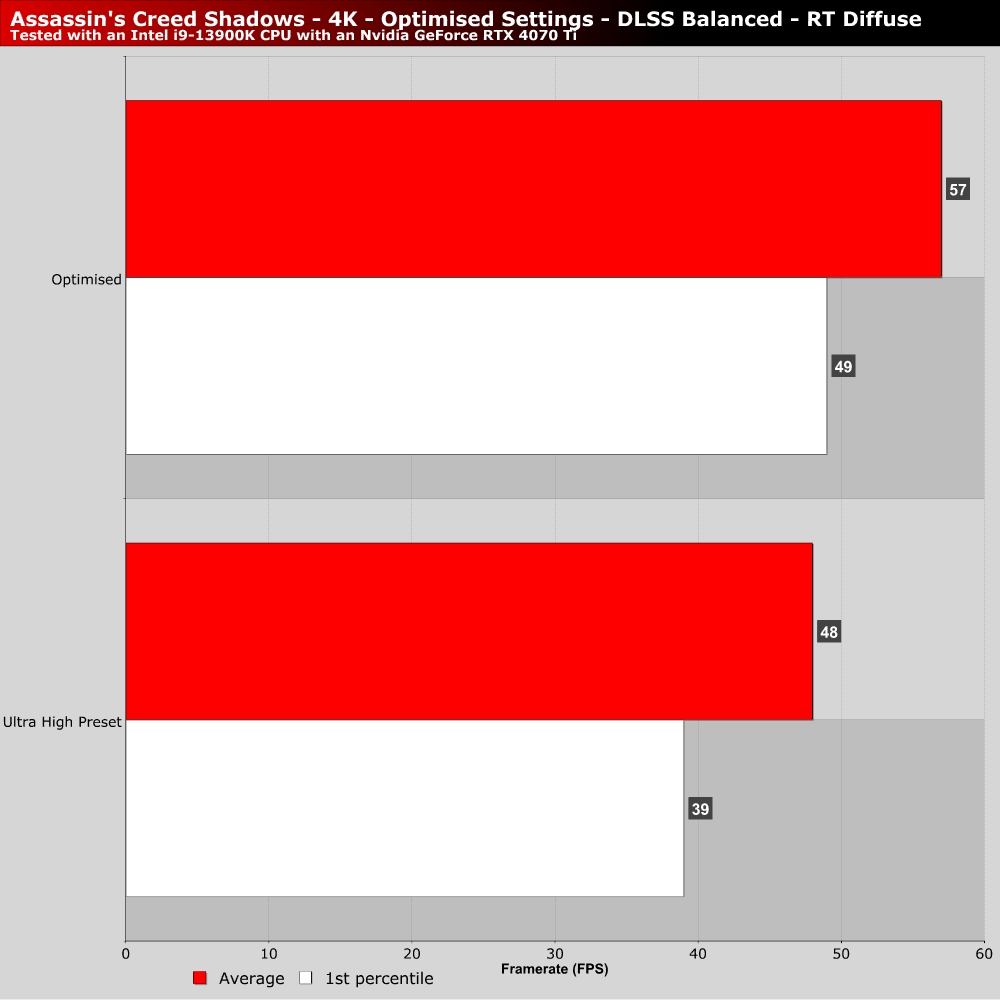
For our optimised settings, we wanted to keep as many settings at its “Ultra” level as possible and wanted to retain RTGI Diffuse lighting given its visual impact. For this reason, our optimised settings use the Ultra High preset with the following changes. Lighting Source quality is set to high, Shadow Quality is set to high, Water quality is set to medium, Fog is set to medium, and terrain quality is set to high. This nets us a near-20% increase in average framerate with minimal loss to image quality. Settings like draw distance remain unchanged.
If you need higher levels of performance, you need further settings reductions. For this, I would advise moving to Shadows’ Medium or High presets and, from there, increasing texture-related settings to as high as your GPU will allow. Disabling ray tracing will boost performance within Shadows’ open world, and upscalers will increase performance more generally.