Assassin’s Creed Shadows PC Performance Review and Optimisation Guide

1080p Performance

Even at 1080p, Assassin’s Creed Shadows is a demanding game on PC
[Update – August 2nd 2025] Sapphire has sent their Radeon RX 9070 XT and RX 9060 XT Pulse graphics cards for games testing. This has allowed us to add AMD’s RDNA 4 GPUs to our recent games performance analysis articles. Data for these GPUs is now included below.
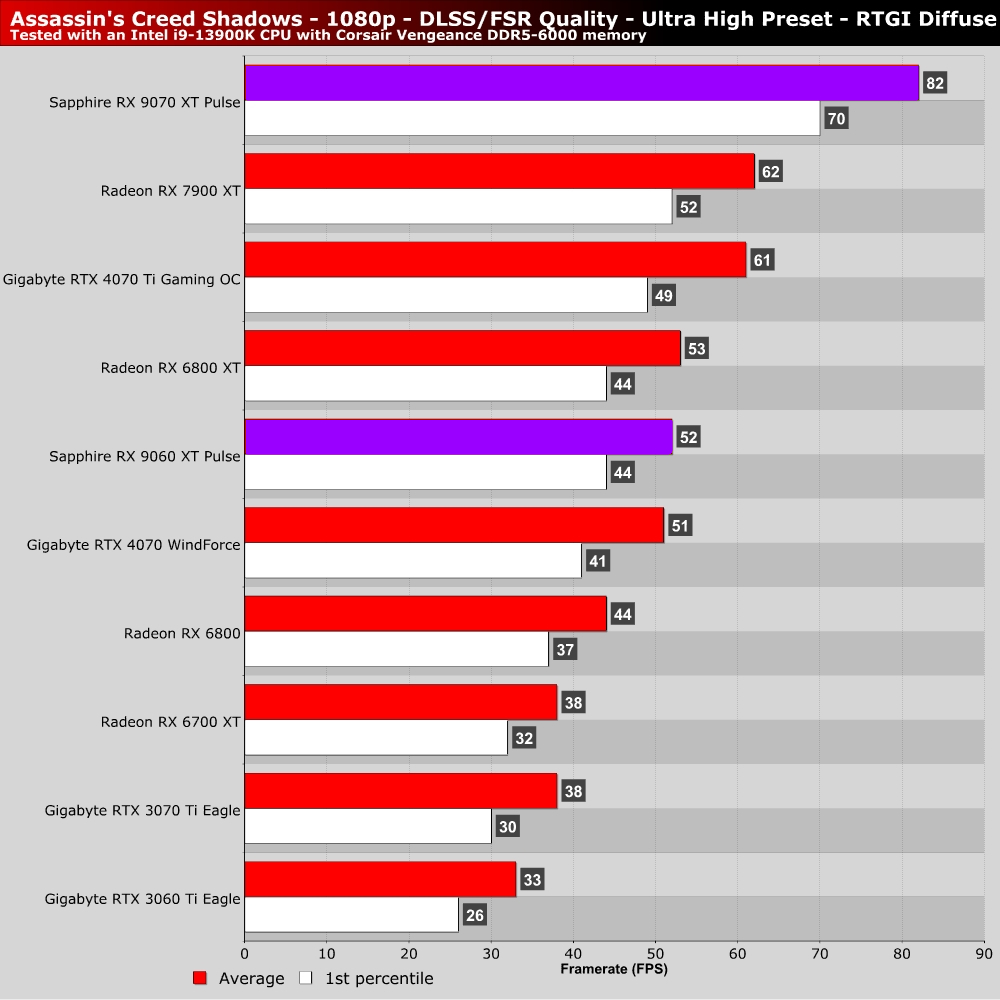
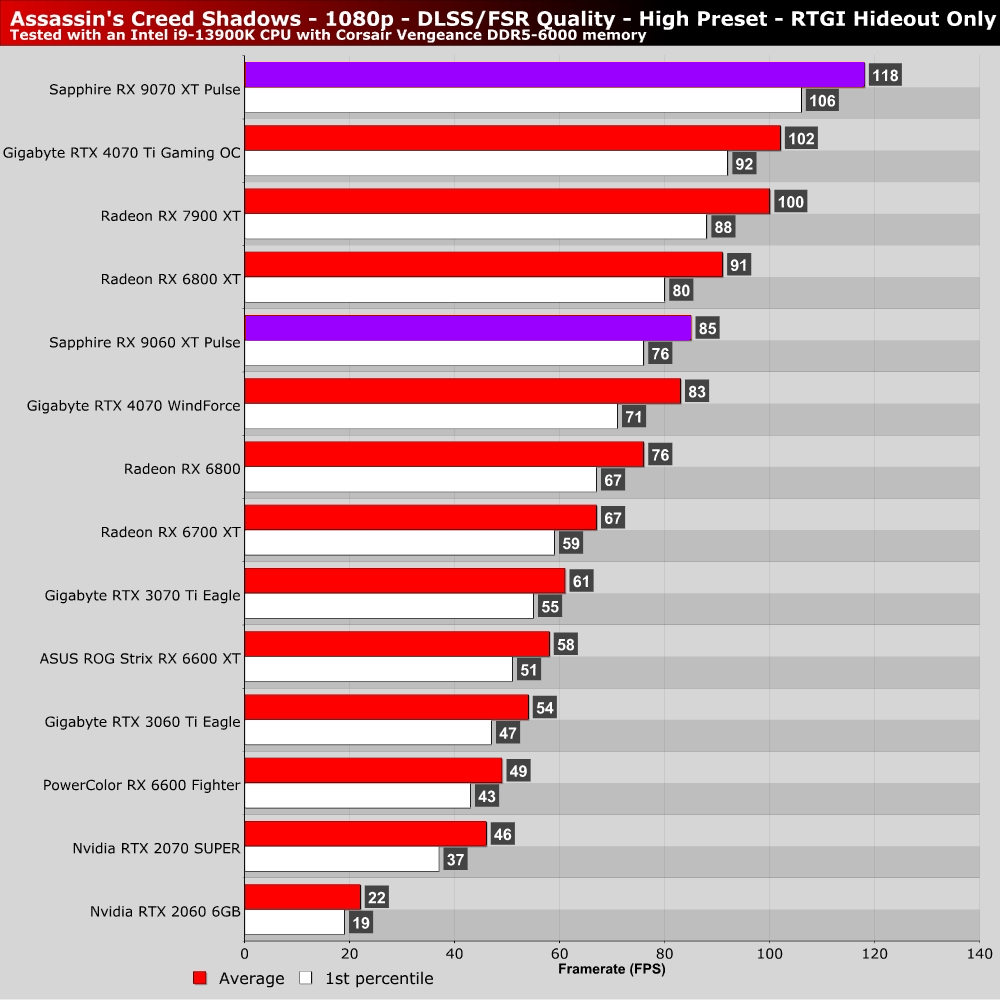
For our main resolution tests, we are using the game’s high preset with RTGI disabled (hideout only) and the game’s Ultra High preset with RTGI set to diffuse everywhere. Simply put, the latter settings are too demanding for most gamers. All these tests are conducted with DLSS or FSR set to their respective “quality” modes.
At 1080p, note that 60+ FPS performance is achieved at High settings with AMD’s RX 6700 XT and Nvidia’s RTX 3060 Ti. Lower-end GPUs require further settings reductions for 1080p 60+ FPS framerates. Note that Nvidia’s RTX 2060 runs incredibly slowly, as it doesn’t have enough VRAM to run this game well. 8GB of VRAM is the bare minimum that AC: Shadows players should have on their GPUs. Even then, 10GB or 12GB is preferable if you want to max out texture settings.
At Ultra High settings, even Nvidia’s RTX 4070 struggles to stab above 60 FPS at 1080p, and that is with DLSS in quality mode. Shadows is a demanding game.