Assassin’s Creed Shadows PC Performance Review and Optimisation Guide

DLSS Testing (Use DLSS Override!)
Nvidia DLSS Tested
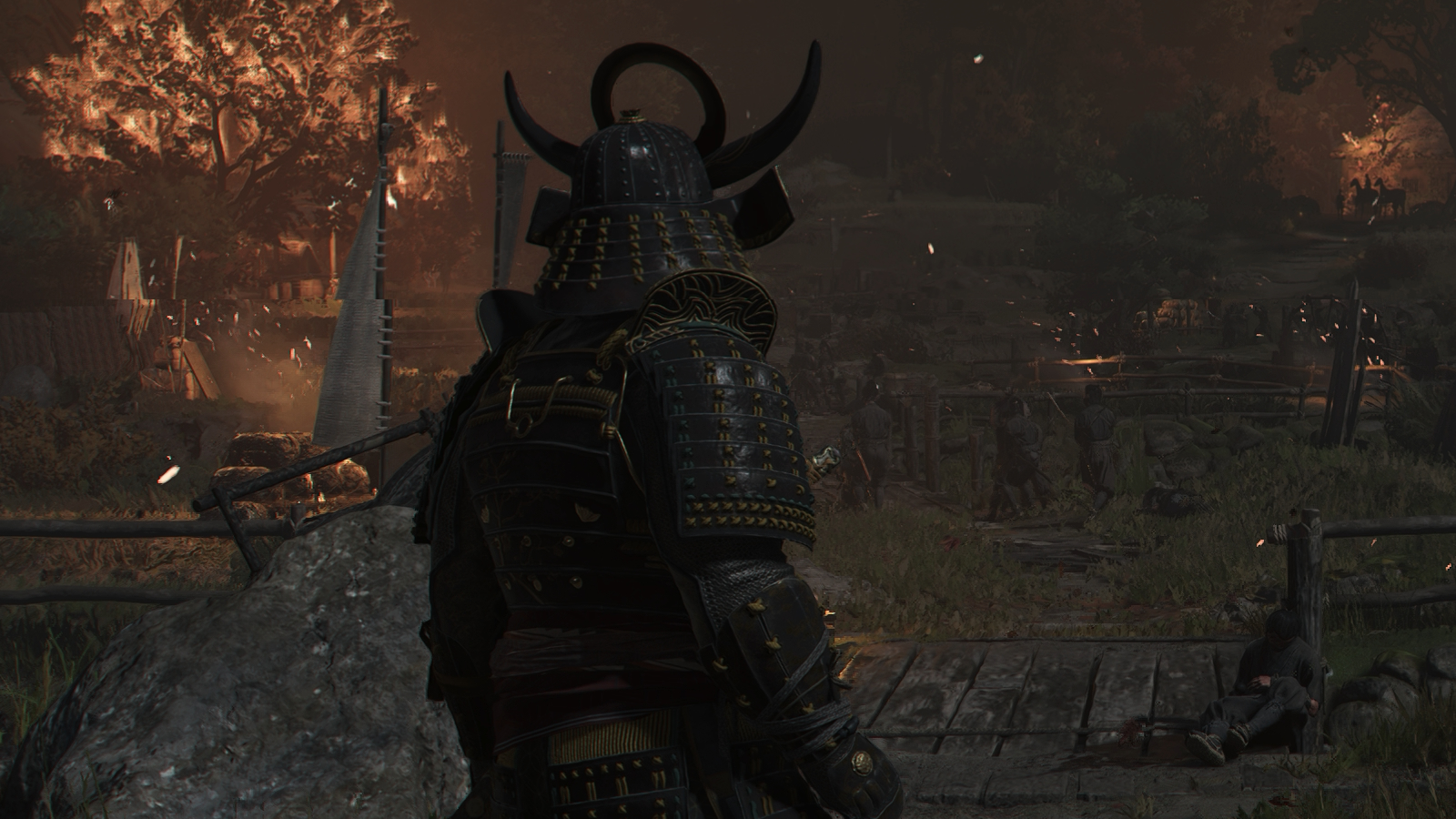
Nvidia’s DLSS technologies are a great addition to Assassin’s Creed Shadows. Given how hard this game is on PC hardware, it makes sense to use upscaling to enable higher framerates. If you can already achieve near-60FPS framerates or above, DLSS Frame Generation can further boost smoothness with AI frames. This makes Assassin’s Creed Shadows look great on high refresh rate monitors.
DLSS Override – Better visuals with DLSS 4’s transformer model
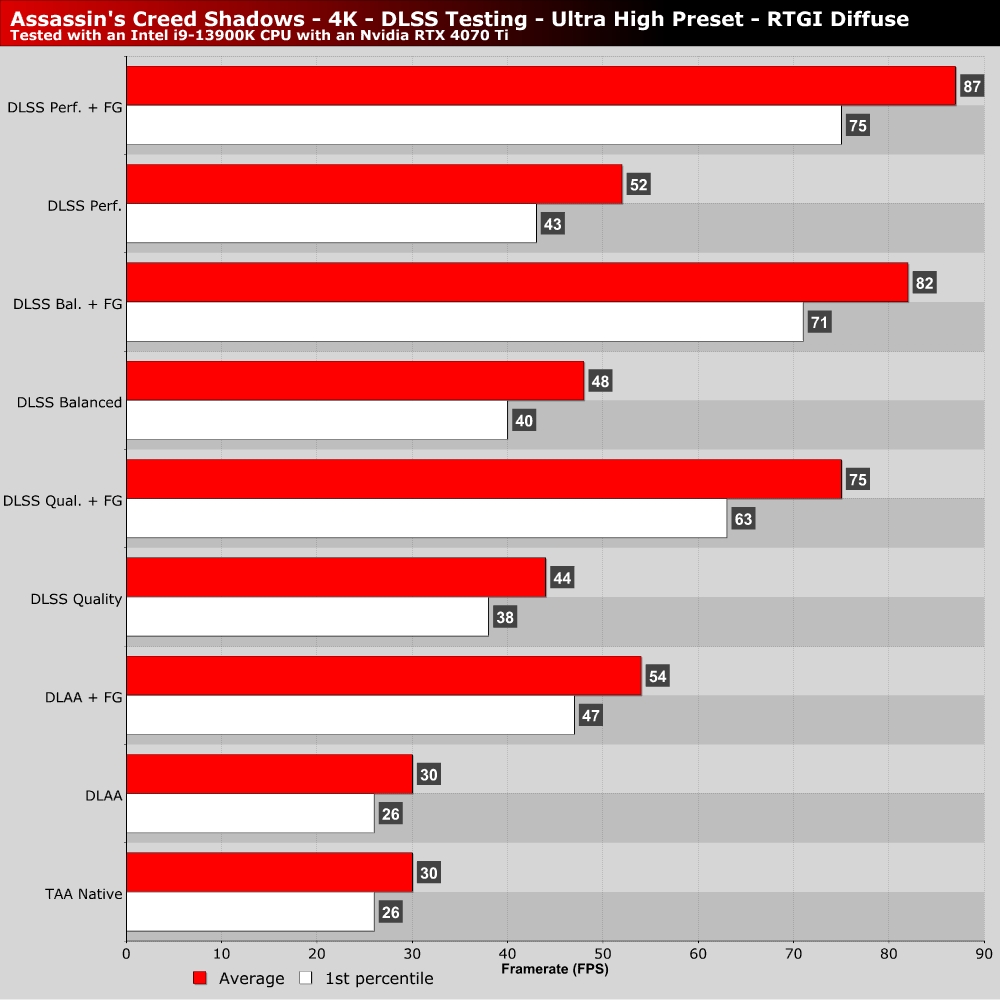
Assassin’s Creed Shadows has launched with DLSS 3.7. That means the game lacks support for DLSS Multi-Frame Generation and doesn’t use DLSS 4’s Transformer-based AI upscaling model. However, these features can be enabled using the Nvidia App and Nvidia’s DLSS Override feature.
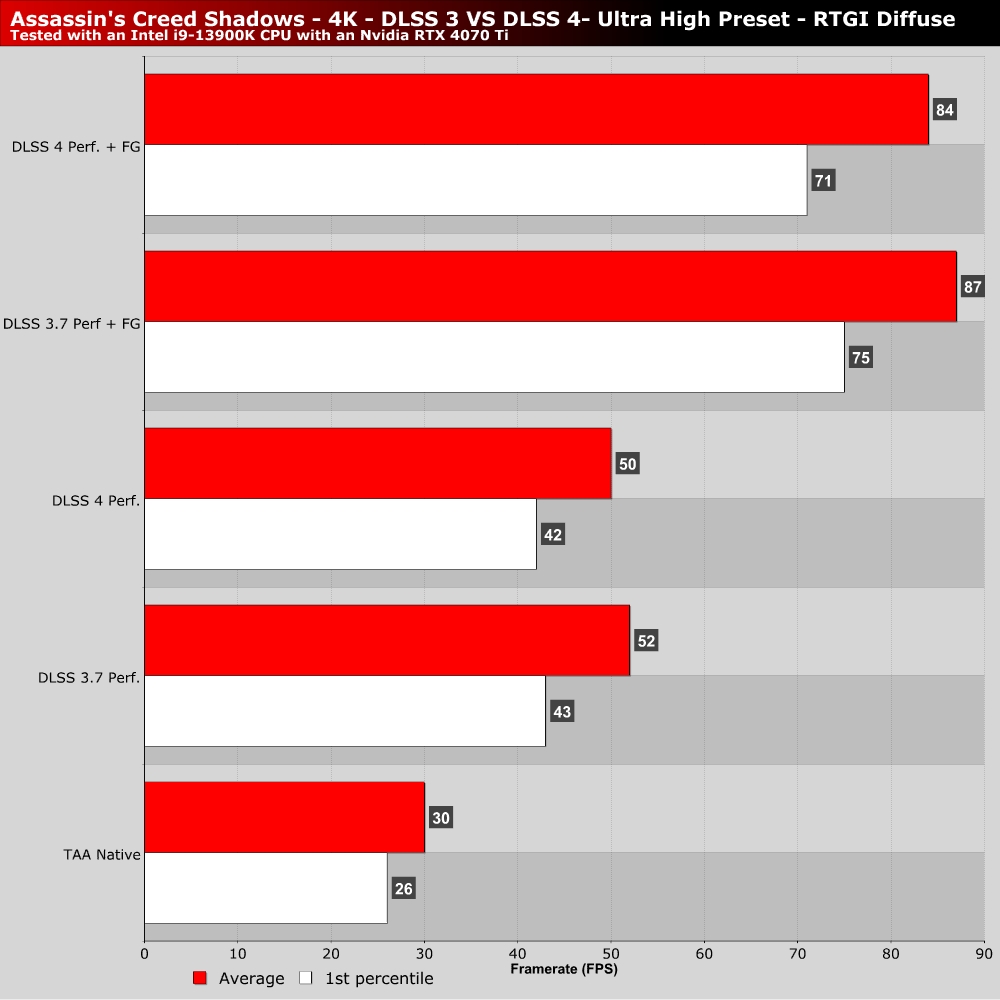
Using Nvidia’s DLSS Override to use the “latest” version of DLSS improves Assassin’s Creed Shadows’ image quality. However it does come with a small performance cost when compared to DLSS 3.7. This cost is worth it given DLSS 4’s improved image quality, especially when using its performance mode at 4K.