God of War Ragnarok PC Performance Review

OC3D Optimised Settings
Testing almost all settings in God of War Ragnarok so you don’t have to
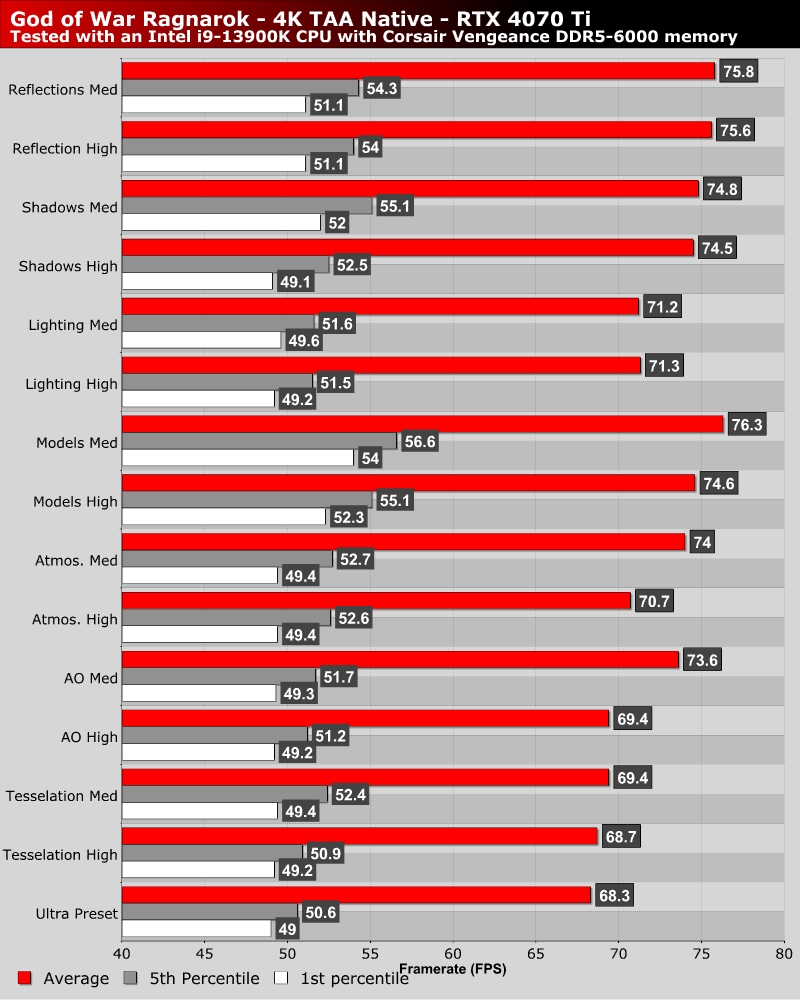
God of War Ragnarok has a lot of graphical options on PC. That means that we needed to do a lot of testing to see which settings have the most impact on this game’s visuals and performance. This required a lot of benchmarking; you can see our results below.
The most impactful settings we found are tesselation (specific areas – see dedicated page of review), model quality, shadow quality, and reflection quality. These are the settings that gamers should lower first if they want to boost Ragnarok’s performance on PC.
OC3D’s optimised settings
Ideally, we want games to run at the highest framerates possible while only lowering graphical settings that have a minimal impact on image quality. We want a strong balance between high levels of image quality and performance, and we think we have achieved that with our “optimised” settings.
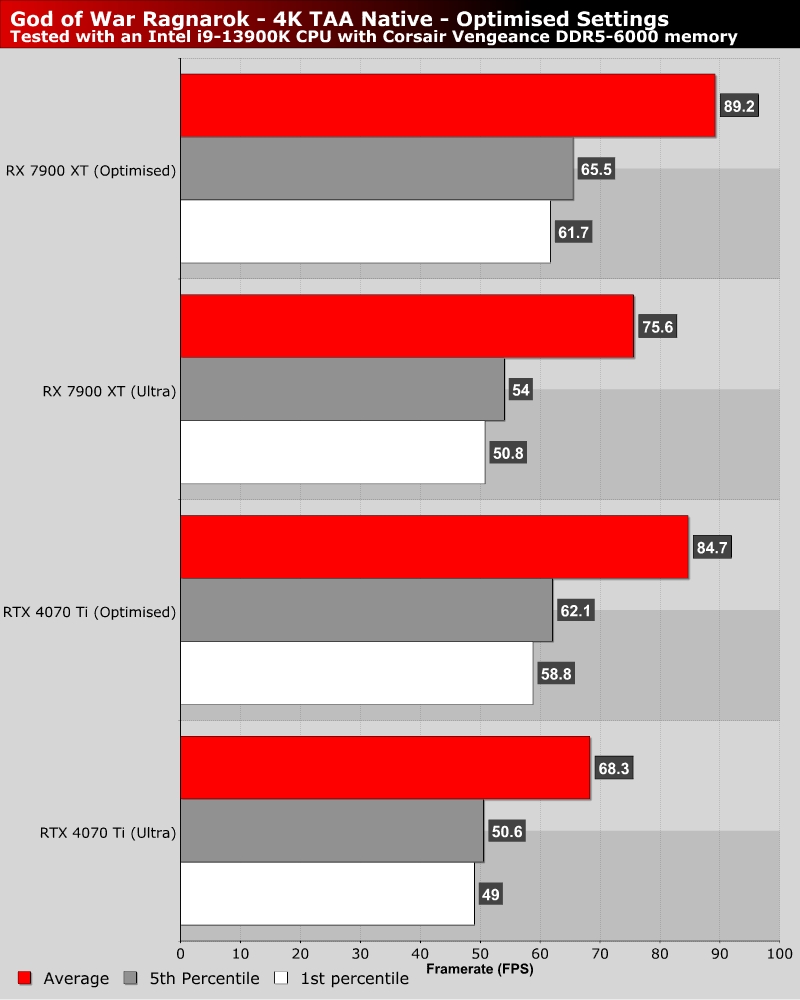
As a starting point, set everything to Ultra, then dial back settings as follows. Set Tessellation to Medium (see our Tesselation page to see why), then set Models to High, shadows to Medium, Reflections to High, and Atmospherics to High. These settings allow us to achieve significant performance gains while retaining pleasing visuals.
Overall, these settings net us performance gains of 20-25%. Not bad, given how little this game’s overall image quality changes. Some areas of this game will benefit much more than others, especially those few areas that are heavily tessellated.