Resident Evil 4 Remake PC Performance Review and Optimisation Guide


1080p Performance
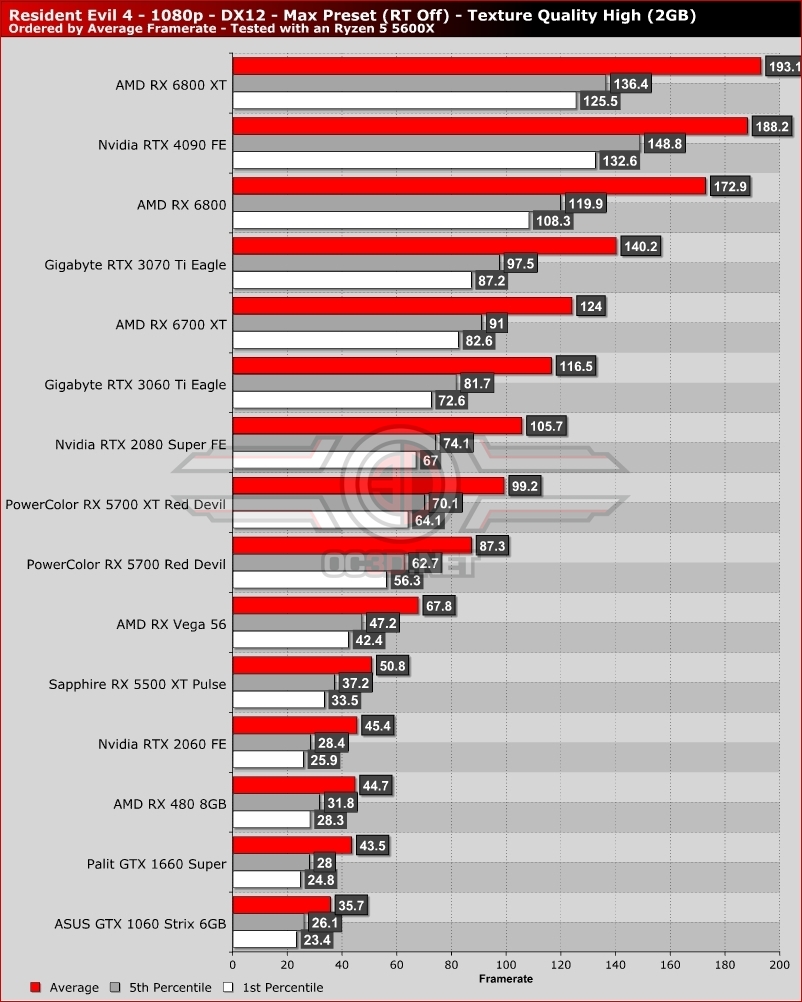
At 1080p maximum settings, Resident Evil 4 can be a fairly demanding game on PC, requiring a graphics card like an RTX 2080 Super or an RTX 3060 Ti to run at 60+ FPS at all times (with appropriate texture settings). The good news is that Resident Evil 4 has a lot of demanding settings that can be disabled ot lowered to increase performance, making 60+ FPS performance possible on much lower end graphics cards.
Below, we can see that Resident Evil 4 is CPU-limited when we reach graphics cards like AMD’s RX 6800 XT and Nvidia’s RTX 4090, with both delivering similar framerates despite the raw performance that Nvidia’s RTX 4090 delivers. With a higher-end CPU, or at higher resolutions, Nvidia’s RTX 4090 will deliver a huge performance advantage, but not at 1080p with our Ryzen 5 5600X.
Ray Tracing Off
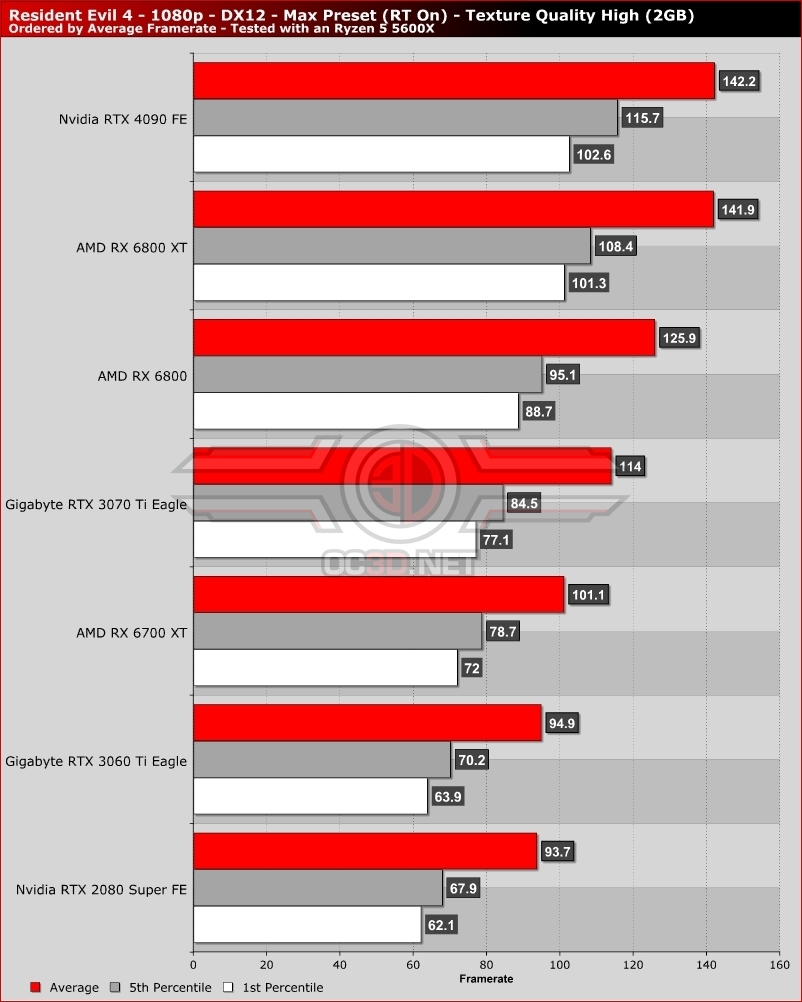
When ray tracing is disabled in Resident Evil 4, we can see that the game’s performance does not increase by much on most of our tested graphics cards. Only our high-end GPUs see a large increase in performance, and that is due to the fact that Resident Evil 4’s ray tracing has a larger impact on CPU performance than it has on GPU performance. That said, if you want more GPU performance in Resident Evil 4, ray tracing should be one of the settings that you disable first.
Why are 6GB graphics cards struggling to deliver playable performance. At the settings listed below, these graphics cards are VRAM limited, and at texture setting below High (2GB) we noticed lower detail textures in-game.